Blocks Smart Workplace Lockers
Flexible smart lockers for modern workplaces
The Blocks Smart Workplace Locker System combines hardwired electronic locker technology with powerful cloud-based software, giving workplaces a flexible way to manage employee storage, shared lockers and workplace assets.
Blocks software provided by Secure Lockers can support permanent, dynamic and shared locker allocation, with access available through RFID/NFC employee cards, touchscreen, PIN, QR code, mobile and integrated workplace systems.
Whether you are designing a new workplace, replacing traditional lockers or upgrading an existing installation, Secure Lockers can configure a Blocks solution around your workplace, users and existing technology.
Smarter Workplace Storage
Traditional lockers generally operate on a one-person, one-locker basis.
Secure Lockers with Blocks software allows workplaces to manage lockers much more flexibly.
Permanent Lockers
A specific locker remains assigned to an individual employee.
Dynamic Lockers
An available locker is allocated when the employee needs one and released when they are finished.
Shared & Team Lockers
Lockers can be made available to selected departments, teams or user groups.
Visitor Lockers
Temporary access can be provided to visitors, contractors or short-term users.
Different allocation methods can operate within the same locker installation, allowing the system to adapt to the way your workplace operates.
Access Your Way
Blocks software supports multiple access methods, allowing the user experience to fit into the workplace rather than forcing employees to adopt an entirely new process.
Available access methods can include:
- RFID / NFC employee cards
- Existing compatible building access cards
- PIN
- QR code
- Mobile access
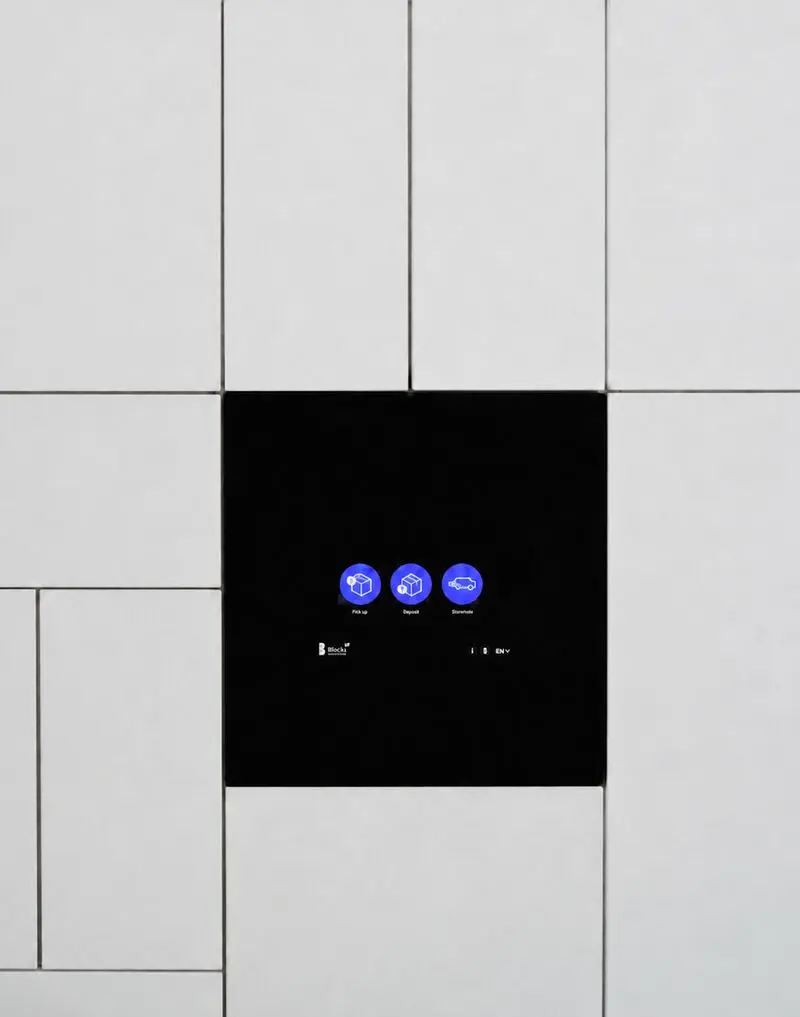
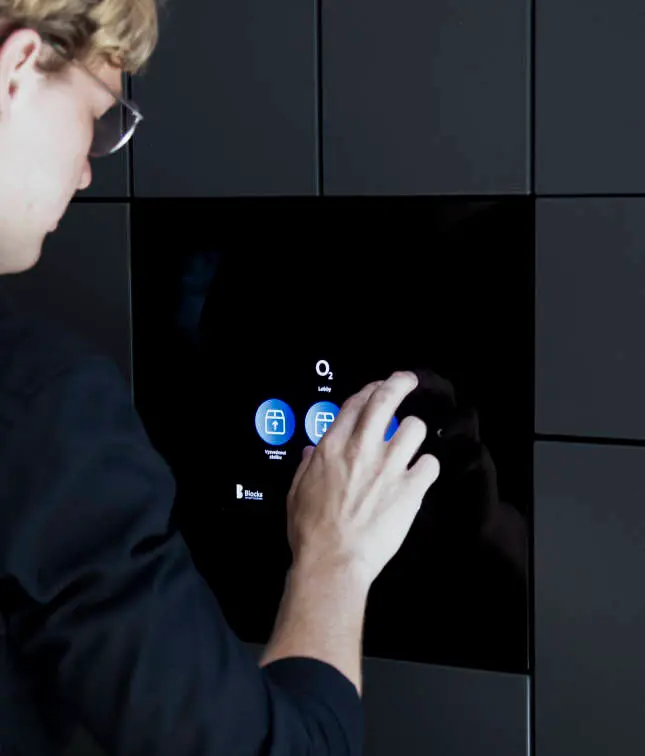
- Touchscreen terminal
- Web-based access
- Biometric options where required
Different access methods can also be combined within the same project
One System. Multiple Workplace Uses.
Blocks software by Secure Lockers is built around flexible software workflows rather than one fixed locker function.
The same locker system can support:
Employee Storage
Permanent or dynamically allocated personal storage.
Team Lockers
Shared storage for departments, project teams or work groups.
Visitor Storage
Secure short-term storage for visitors and contractors.
Sharing Points
Allow one employee to leave an item, document or piece of equipment for another person to collect.
IT Equipment Distribution
Securely issue laptops, devices and workplace equipment without requiring face-to-face handover.
Mail & Internal Distribution
Create secure collection points for documents, internal mail and workplace deliveries.
As requirements change, additional workflows can be introduced without necessarily replacing the underlying locker infrastructure.
Full Control Through Blocks Admin Zone
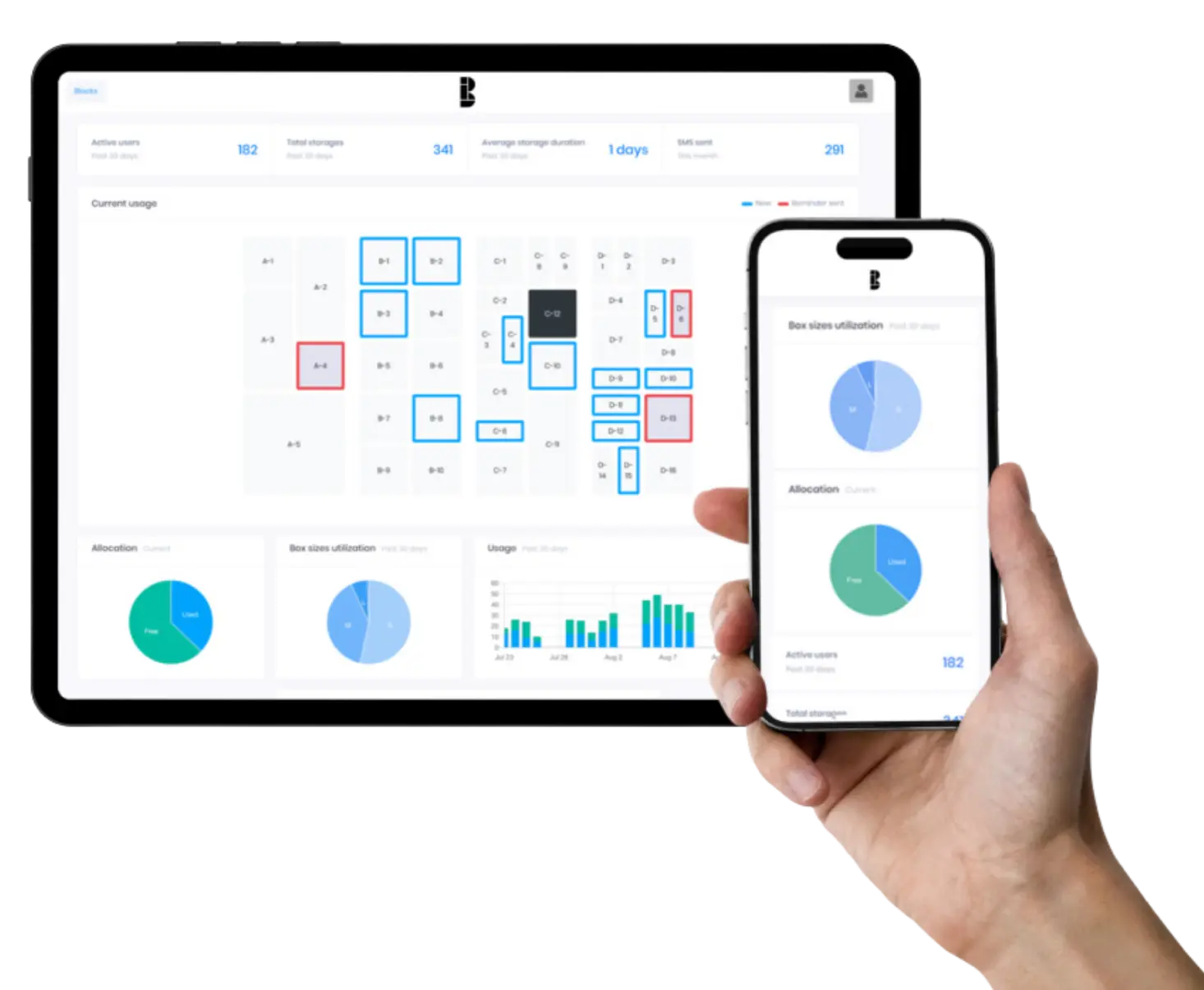
The Blocks Admin Zone gives authorised workplace and facilities teams central control over the locker system.
Administrators can:
- View locker occupancy and availability
- Manage users and permissions
- Allocate, release and reset lockers
- Remotely open authorised lockers
- Manage multiple sites
- Review locker activity and audit trails
- Monitor utilisation and usage trends
- Perform bulk locker and user actions
This gives organisations both day-to-day operational control and greater visibility over how workplace storage is actually being used.
Integrates With Your Workplace
Your lockers don't need to operate as a standalone system
One of the strengths of Secure Lockers with Blocks software is its ability to integrate with existing workplace technology.
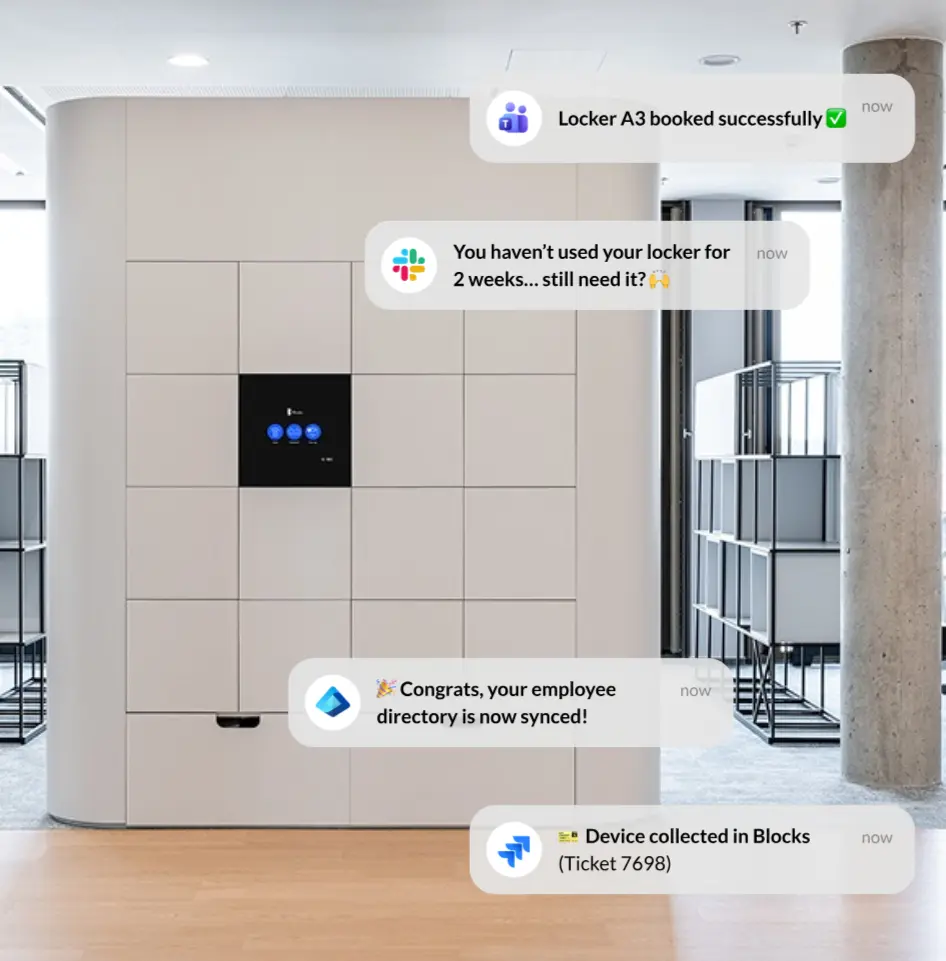
The software can connect with employee directories, access-control systems, workplace applications and third-party software.
Common integration environments can include:
- Microsoft Entra ID
- Microsoft Teams
- ServiceNow
- Slack
- Jira
- HID
- Employee directories
- Building access-control systems
For example, an employee could be added to the organisation's directory and automatically become available within the locker system, or use their existing compatible building access card to access their locker.
Blocks also provides an open API and SDK, allowing integrations with compatible custom applications and third-party systems.
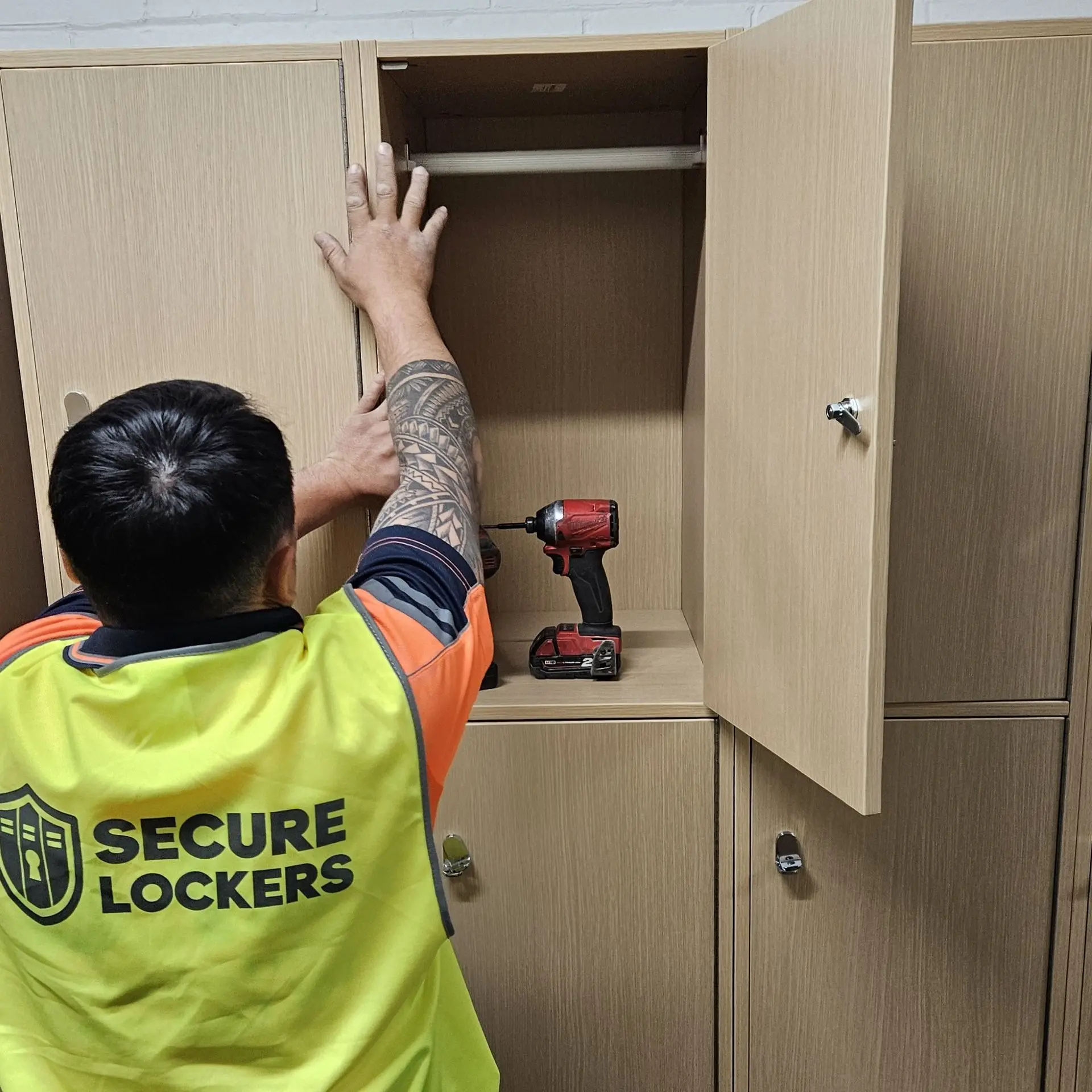
New Installation or Retrofit
Secure Lockers with Blocks technology can be incorporated into both new locker installations and existing locker banks.
Where existing lockers are suitable, Secure Lockers can assess whether the electronic locking hardware, wiring, controllers and user interfaces can be retrofitted into the current installation.
Retrofit suitability depends on factors including:
- Locker construction
- Door material
- Existing locking hardware
- Available wiring routes
- Power and data access
- Door clearances
- Existing locker condition
Where retrofitting is not practical, Secure Lockers can provide a new locker system specifically designed around the Blocks technology.
A Locker System That Fits the Architecture
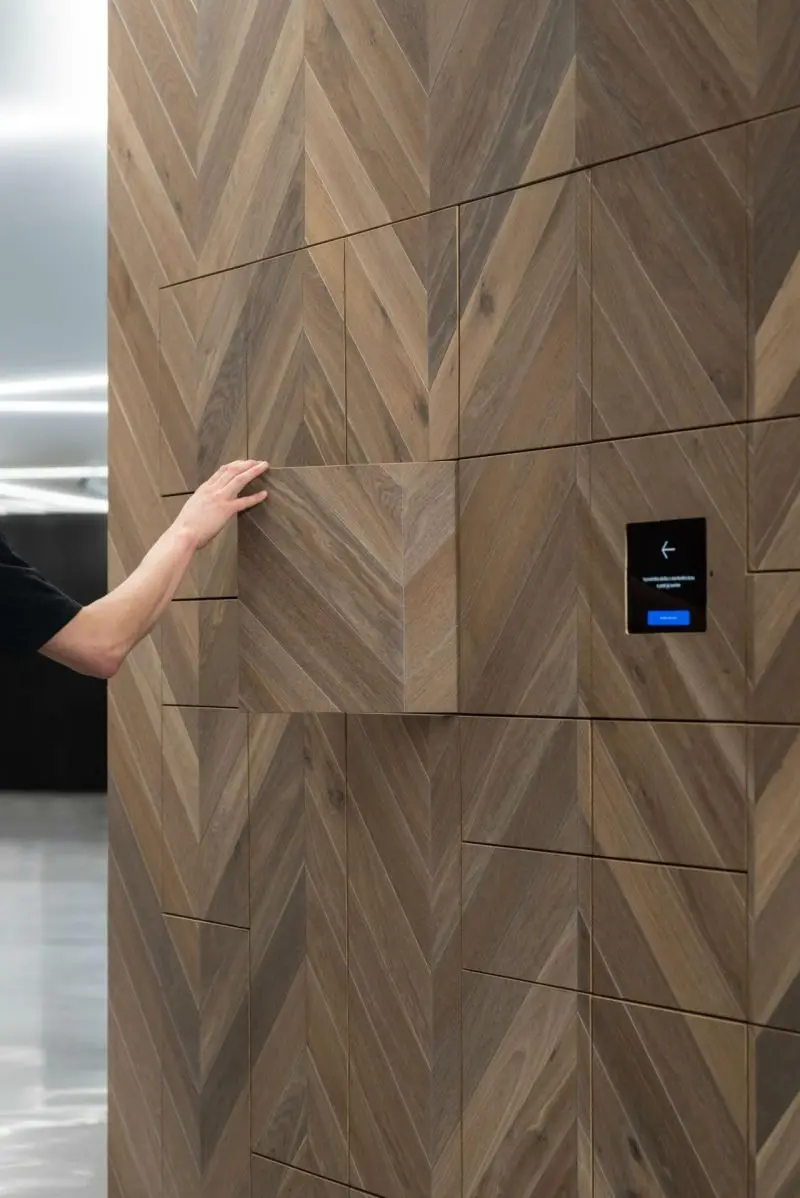
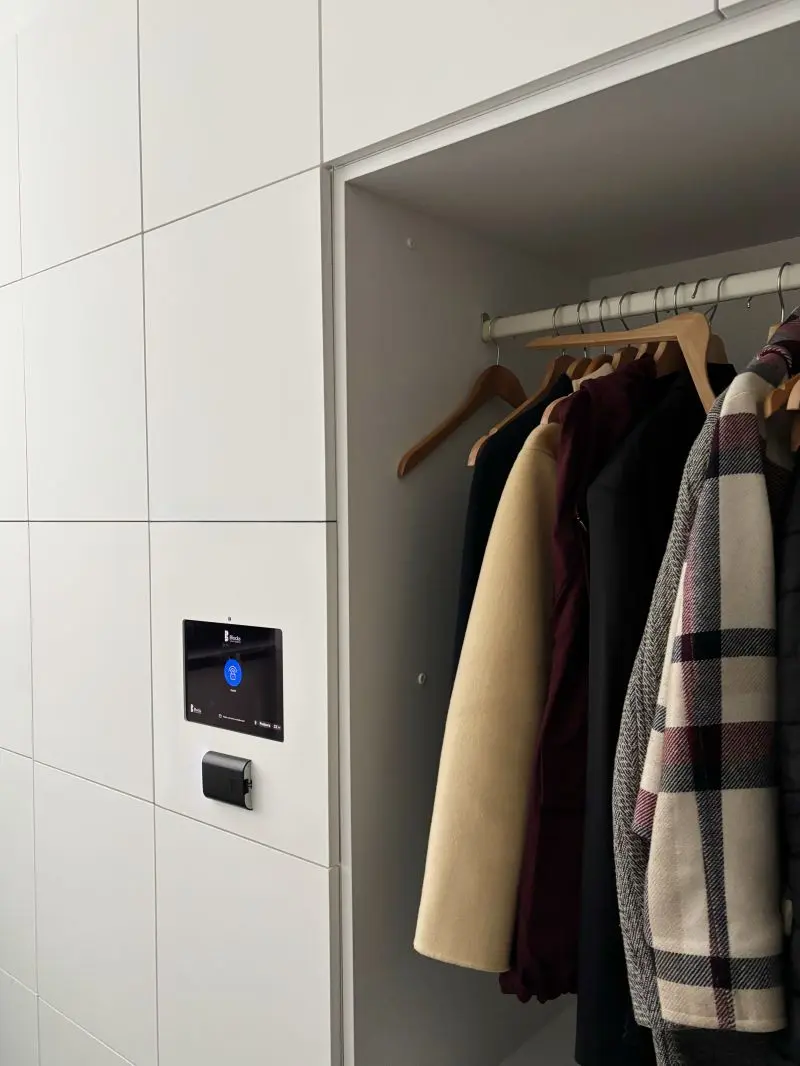
Blocks technology can be incorporated into a wide range of locker designs.
Secure Lockers develops the physical locker solution around the architectural, functional and storage requirements of the project.
Options can include:
- Laminate lockers
- Metal lockers
- Compact laminate lockers
- Custom joinery
- Built-in locker banks
- Freestanding lockers
- Custom compartment sizes
- Custom colours and finishes
The smart technology can remain consistent while the locker design changes to suit the project.
Hardwired Smart Locker Technology
Blocks software operates as a hardwired smart locker system, with electronic locking hardware connected into the central locker control infrastructure.
This makes it particularly suitable for larger centrally managed workplace installations where organisations want connected electronic lockers rather than individual standalone locks on every door.
A typical system can include:
- Electronic locker locks
- Connection hubs and controllers
- Touchscreen or access readers
- Power connection
- Data / internet connection
- Cloud-based management
LAN is generally the preferred connectivity option, with alternative connectivity options available depending on the project requirements.
Final power, network and technical requirements are confirmed during project design.
Trusted by Leading Organisations
Deloitte · EY · MSD · Siemens · Savills · Zebra Technologies · Braze · Teva
Request a Quote for Blocks Smart Workplace Lockers
Tell us about your project and what you’re looking to achieve, and we’ll help recommend the right Blocks Smart Workplace Locker solution.
Frequently Asked Questions
A smart workplace locker system uses electronically controlled lockers and central software to manage locker access, allocation and usage.
Instead of relying on traditional keys or standalone locks, users can access lockers using methods such as employee cards, PINs, QR codes, mobile devices or touchscreen terminals. Administrators can manage lockers remotely and view information such as availability, usage and user permissions.
Yes. Most commonly Blocks software operates as a hardwired smart locker system, with electronic locking hardware connected back to central controllers and the Blocks platform. With an optional choice of using Bluetooth locks, typically used in retrofit environments if hardwired isn't possible.
This makes it suitable for larger centrally managed workplace installations where organisations want connected electronic lockers rather than independent standalone locks on every door.
The exact system architecture is determined during project design.
Yes, in many cases.
Blocks technology can potentially be retrofitted into existing locker banks, depending on their construction, existing locks, door clearances, wiring access and overall condition.
Secure Lockers can assess the existing installation and recommend whether a retrofit or replacement system is the more practical approach.
Yes, where the existing credential and access-control environment are compatible.
Blocks can work with RFID and NFC credentials and can also be integrated with workplace access-control systems.
This can allow an employee’s existing workplace credential to also provide locker access.
Yes. Blocks can integrate with compatible HID-based access environments depending on the existing system and project requirements.
The specific integration method is confirmed during system design.
Yes.
Employee directory integration can allow user information and permissions to be synchronised with the locker platform.
This can simplify employee onboarding and offboarding and reduce the need to manually maintain a separate locker user database.
Yes. Blocks can integrate with workplace platforms including Microsoft Teams.
Depending on the required workflow, this can allow locker functions to become part of the employee’s existing digital workplace rather than requiring an entirely separate user experience.
Yes.
Different lockers within the same installation can be configured for different allocation types.
For example, one locker bank could include permanent employee lockers, dynamic lockers, team storage and visitor lockers.
No.
A touchscreen is one possible interface (and probably the most common), but Blocks can also support access through employee cards, mobile access, PIN, QR and compatible integrated systems.
Some projects may use a touchscreen heavily, while others may rely primarily on existing workplace credentials or integrated applications.
In many cases, yes.
Blocks provides integration capability through supported integrations, open API and SDK tools.
Where a standard integration does not already exist, the project can be reviewed to determine how the customer’s system and Blocks can communicate.
The key requirement is that the relevant systems provide a compatible method of exchanging the required information or commands.
Yes.
Blocks is designed to scale from a single locker installation through to multi-site workplace networks.
Different administrator permission levels can be set so local teams manage individual sites while regional, national or global teams maintain broader oversight.
Blocks operates under an ISO 27001-certified information security framework.
Depending on the project configuration, security features can include user authentication controls, administrator permission levels, locker activity audit trails, secure cloud-based management, encrypted access protocols and regular security testing.
Depending on configuration and permissions, administrators can access information including:
- Locker availability
- Current occupancy
- User allocations
- Locker activity
- Historical usage
- Audit information
- Multi-site utilisation
- User permissions
- Locker status
- Administrative actions
This information can assist with both day-to-day locker management and longer-term workplace planning.
You do not need to have the full system specification worked out before contacting us.
We can help define the right configuration based on your workplace, locker quantities, user types, preferred access methods, existing building or IT systems, whether the lockers are new or existing, and any integration requirements.
If you already have drawings, locker schedules, access-control information or a project brief, these can also help us prepare the most suitable solution.